In Booking Factory, clients can connect multiple properties to a single account and manage them through a channel manager. This allows them to later link the properties with OTAs as individual properties. Although we should recommend them to avoid this way, the advantage of this setup is that it is more cost-effective for clients, as they pay a single subscription per unit for all properties instead of separate subscriptions for each. It also makes it easier to access bookings for all properties from a single screen, eliminating the need to switch accounts.
However, there are some disadvantages to this setup. Reports will not be separated for each property, and the account can only have one payment gateway and accounting system. All management needs to be handled manually outside of the system. If the account is accessed from different devices simultaneously, there may be issues with slowness and syncing.
Creating the properties and setup
To create a separate property go to Settings > Hotel Profile > Hotel Properties. click "Add New Property" and fill out all the details in the window that pops up. Here you will include the address of the property for easier navigation. 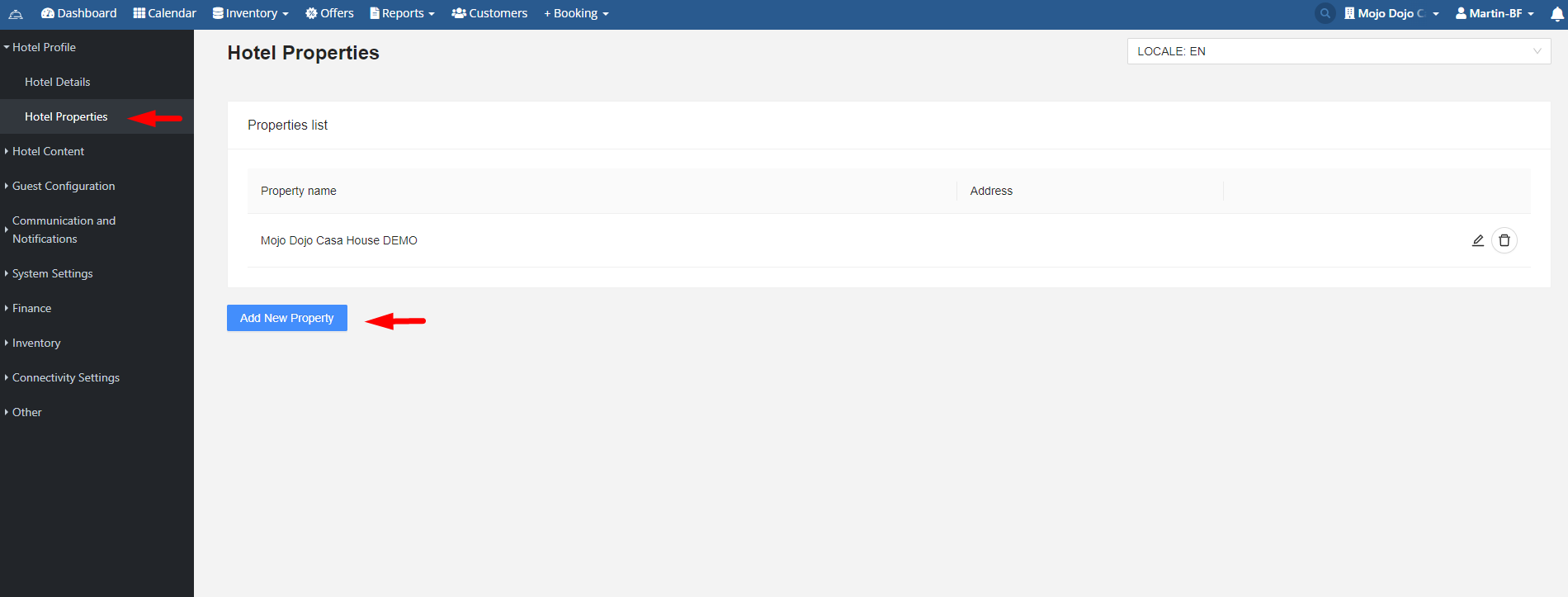
The separate properties are essentially different room types that belong to them. You can create them in Settings > Inventory > Room type. Once created, assign them and set them up in "Room Setup" in a logical way to separate them and make them recognizable and easy to navigate in the Calendar.
After creating the rooms, a separate rate must be made and associated depending on the property they are assigned to.
There are two ways to connect properties with Channex. The first method involves following the usual process, but the channel connections in the channel manager must be separate. Each property must have its own connection to Booking.com, Airbnb, Expedia, etc., and mappings inside it. An example of this is Hotel Kvika.
The second method involves creating a separate Channex connection for each property. This results in multiple profiles in Channex, allowing you to connect with the OTAs for each profile individually. Hotel Akureyri is set up in this manner.
To have separate automatic emails for the bookings, you can create the reactions to be triggered by the conditions of having the rooms associated with the property be booked.
Example 1:
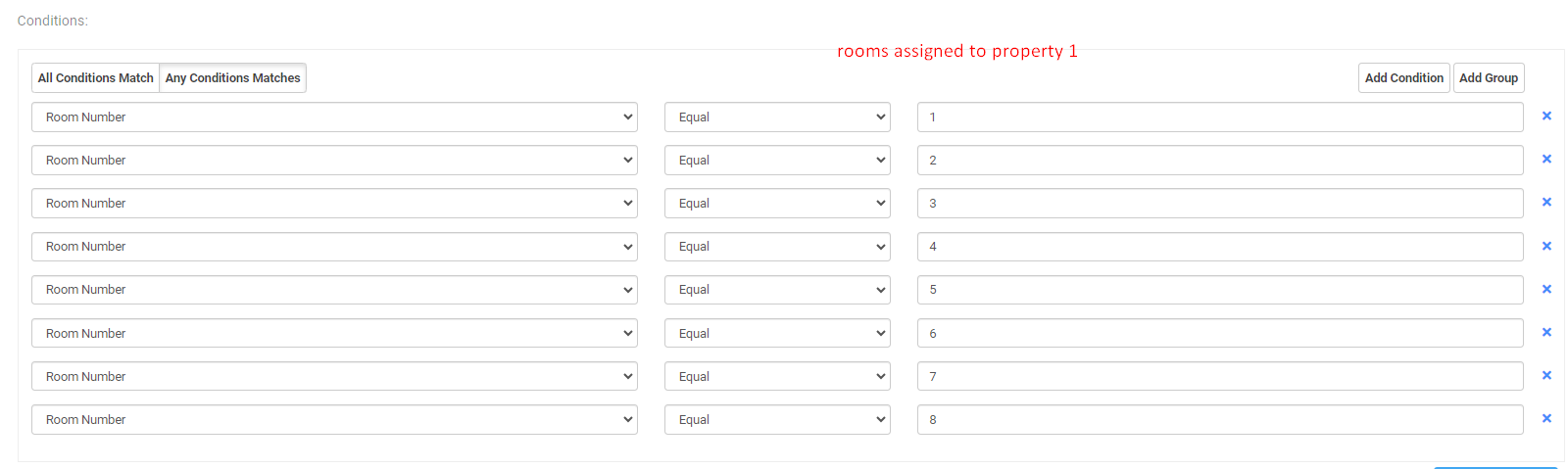
Example 2: 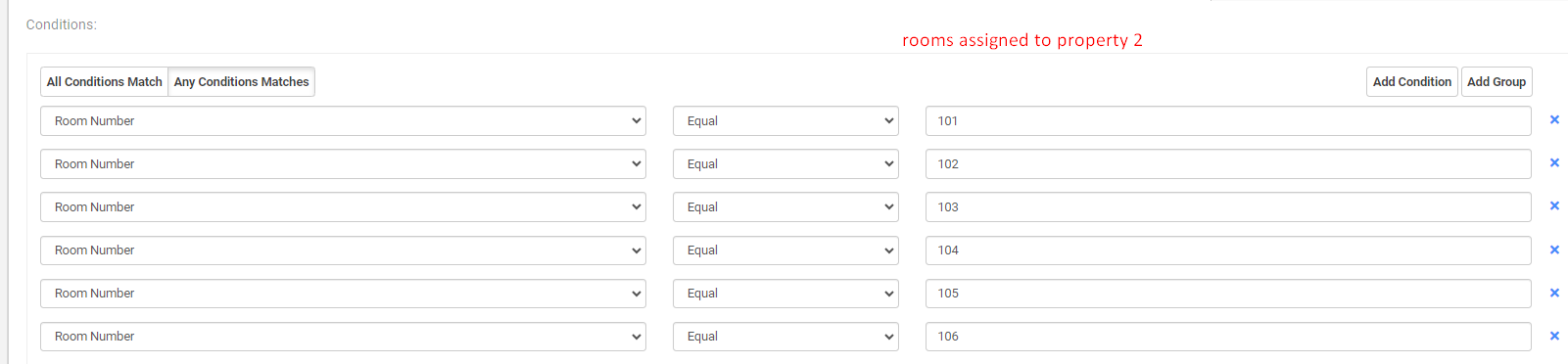
If the properties are scattered throughout the city, the option to show the properties' addresses instead of the hotel address in Settings > Communication and Notifications > Email Setup should be checked. 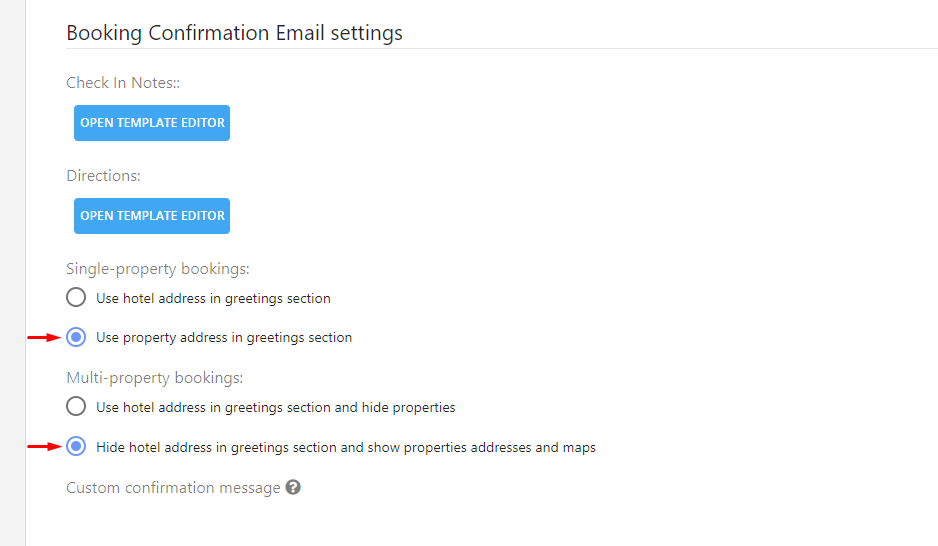
Was this article helpful?
That’s Great!
Thank you for your feedback
Sorry! We couldn't be helpful
Thank you for your feedback
Feedback sent
We appreciate your effort and will try to fix the article