When a new customer uses the "Free signup" function in Booking Factory we need to do the following steps:
1. Customer signs up -> Notification is sent to support.
2. Unblock the account and the user in Booking Factory
3. Add a the property "Demo Hotel N" with Reception Role to the new user.
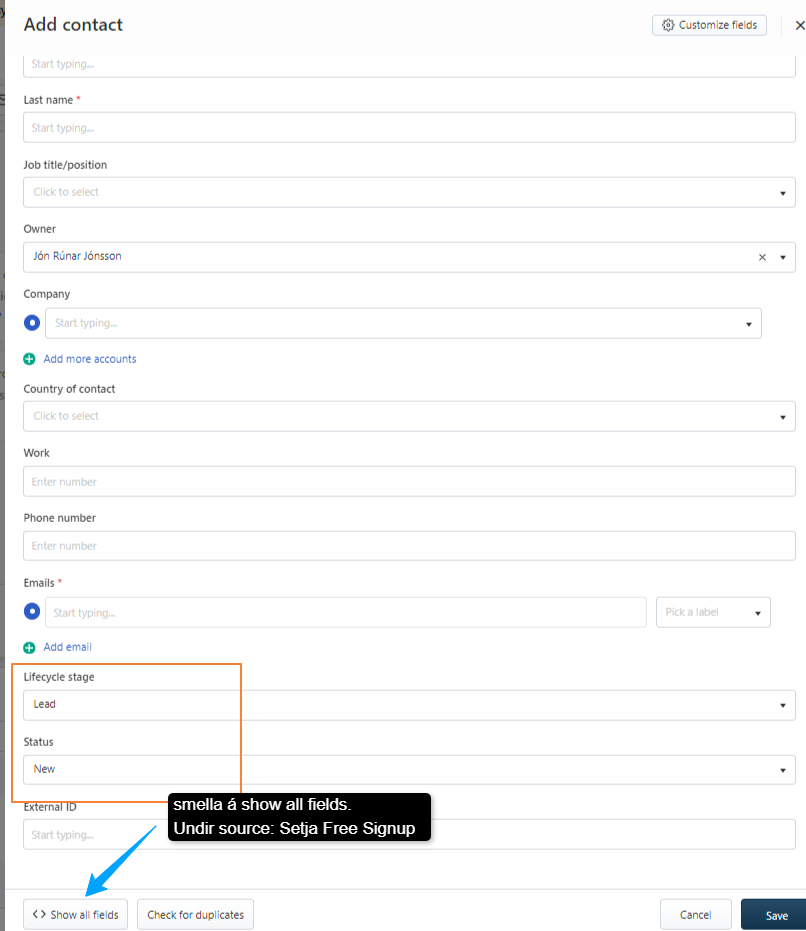
4. Add the contact to Freshsales
5. Fill in all the necessary information
6. Make sure you tick the following:
- Lifecycle stage is lead
- Status is: Demo leads
- Source is: Free Signup
If the customer doesn't reply to any of our emails or takes no action - The system will send a notification to Booking Factory Support.
You need to follow the instructions there and block the account asap.
Was this article helpful?
That’s Great!
Thank you for your feedback
Sorry! We couldn't be helpful
Thank you for your feedback
Feedback sent
We appreciate your effort and will try to fix the article