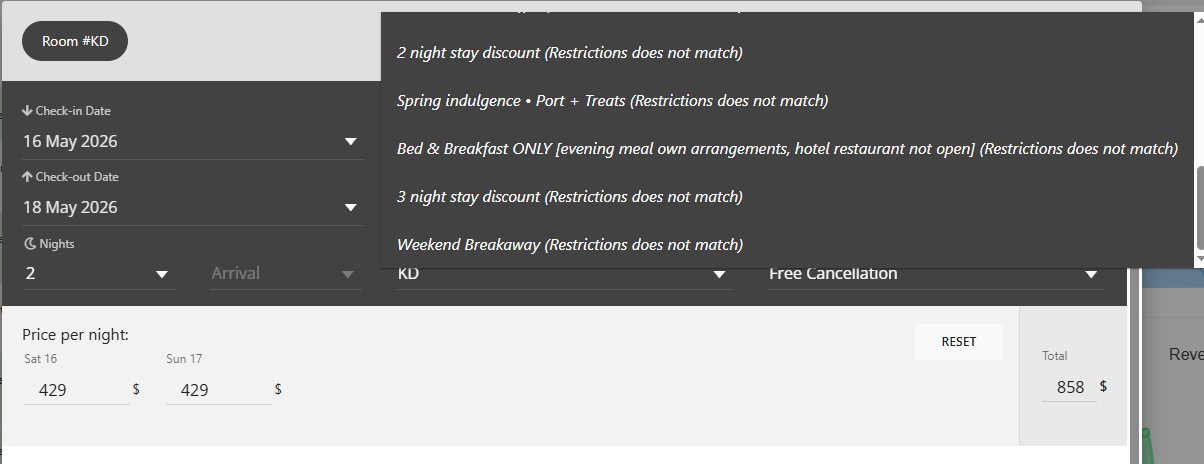
This notification shows up when a rate cannot be reserved for the chosen dates due to inventory constraints set for that property. It's not limited to just Stop Sell; there are multiple types of restrictions that can cause this:
• Stop Sell - The rate is unavailable for sale on one or more nights during the stay
• Closed to Arrival - New reservations cannot check in on the specified arrival date
• Closed to Departure - Reservations cannot check out on the designated departure date
• Minimum Stay (Arrival) - The duration of stay is shorter than the minimum required when arriving on that specific date
• Minimum Stay Through - The stay does not meet the minimum night requirement for dates during the period
• Maximum Stay - The duration of stay exceeds the maximum permissible length for that rate
If a rate does not pass any of these criteria, it will still be visible in the dropdown but will be marked with "(restrictions do not match)" to indicate its unavailability under the current conditions.
Resolution: The property needs to examine their inventory/restrictions settings and either modify the restrictions for those dates or choose alternative dates that are in compliance with the established rules.
Was this article helpful?
That’s Great!
Thank you for your feedback
Sorry! We couldn't be helpful
Thank you for your feedback
Feedback sent
We appreciate your effort and will try to fix the article